Game Site Journal - 14 On-Screen Keyboard/Physical Integration
Published 2025-04-29
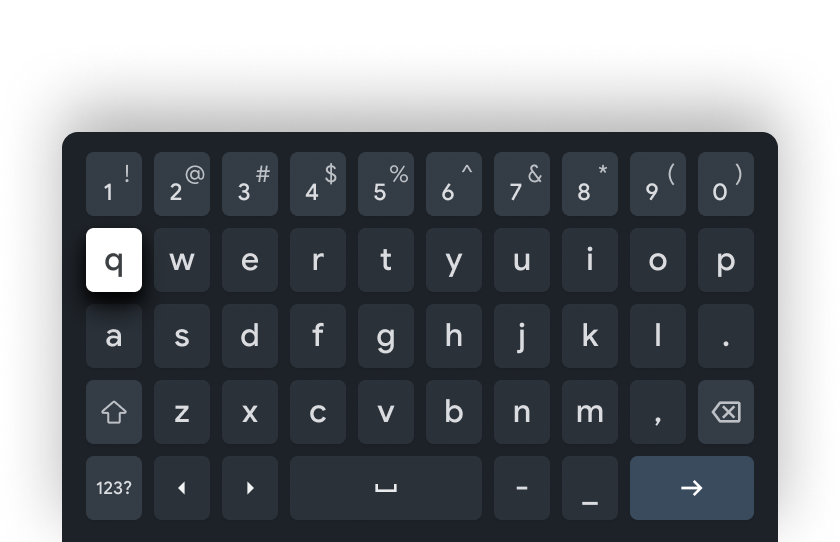
For this post, I wanted to go over the steps it took to make a physical keyboard and the on-screen keyboard work together. I had already removed the extra line in the Guess form that was holding the hidden cell for :guess_string.
<.input type="text" field={@form[:guess]} value={@guess_string} label="Guess" />
Once I set value={@guess_string}, the input works with both the physical and on-screen keyboard. The @form[:guess] is still passed to the form, while @guess_string serves as the default when the on-screen keyboard is not used.
Step 1: Create the KeyInput Hook
I created a new JS hook to listen for key events. This will trigger "add_letter" or "delete_letter" events.
File path: assets/js/hooks/KeyInput.js (you may need to create the hooks folder first)
let KeyInput = {
  mounted() {
    this.handleKeydown = (e) => {
      if (/^[a-zA-Z]$/.test(e.key)) {
        this.pushEvent("add_letter", { letter: e.key.toLowerCase() });
      } else if (e.key === "Backspace") {
        this.pushEvent("delete_letter", {});
      }
    };

    window.addEventListener("keydown", this.handleKeydown);
  },
  destroyed() {
    // Clean up event listener to avoid memory leaks
    window.removeEventListener("keydown", this.handleKeydown);
  }
};

export default KeyInput;
Step 2: Update assets/js/app.js
Make sure the hook is imported and registered:
// Import the hook
import KeyInput from "./hooks/KeyInput";

// Existing imports...
let Hooks = {};

// Register the hook
Hooks.KeyInput = KeyInput;

let liveSocket = new LiveSocket("/live", Socket, {
  hooks: Hooks
});
Step 3: Attach the Hook to the On-Screen Keyboard
Add the phx-hook attribute to the div containing the on-screen keyboard:
<div class="space-y-1 sm:space-y-2 text-sm" phx-hook="KeyInput" id="keyboard">
<!-- Keyboard buttons here -->

</div>
That’s it! With these changes:
- Physical keyboard input triggers the same events as the on-screen keyboard.
-
The
@guess_stringensures the input field works even without the on-screen keyboard. - Event listeners are cleaned up properly to avoid memory leaks.