Weather App 02 - SSH
Published 2025-08-04
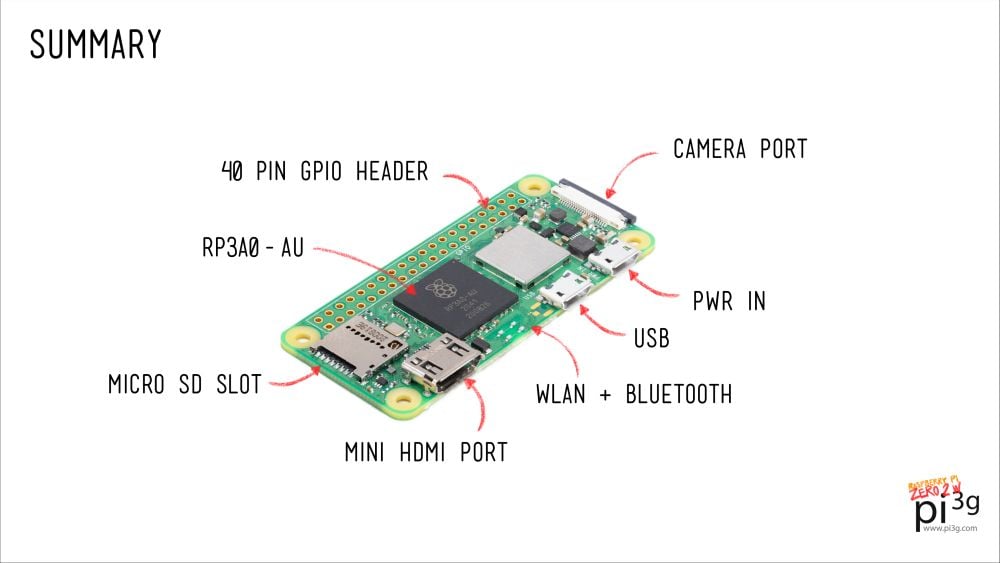
For this app I ran into a lot of issues that took some time to figure out.
Please check out these sites in order to get everything up to date:
https://hexdocs.pm/nerves/installation.html
(This next one is the a forum post about making wx work on the current WSL version)
https://askubuntu.com/questions/1522789/e-unable-to-locate-package-libwxgtk3-0-gtk3-dev
Okay so now you have everything installed and up to date. You will need to create a project and then use a Poncho system hierarchy.
            |-- Sensor_hub_poncho
                |-- publisher
                |-- sensor_hub
                |-- veml6030
This will be the needed structure for the complete structure.
        $ mkdir sensor_hub_poncho
        $ cd sensor_hub_poncho
        $ mix nerves.new sensor_hub

        $ cd sensor_hub
        $ export MIX_TARGET=rpi3a # (rpi0) this might be the target
        $ mix deps.get
        ...
        $ mix firmware
        ...
        $ mix burn
This will get it all the correct firmware for you device on the card so you can put it into the device.
I will talk briefly about the issues that I had while dealing with this part. I read on a few sites that you need to have rpi0 for all zero Pi’s but if you have a pi zero 2 W you need to use rpi3a.
I also had some issues with the device not showing on a windows machine through WSL. So I was not able to ssh nerves.local and had to ssh to the device through my wifi router and make sure it auto connects to the network.
Check out this site an follow the instructions in order to make sure the device can auto connect. If you are able to ssh nerves.local you can then follow the instructions in the book to set a config for the device through the ssh.
Next stop Capturing Sensor Data